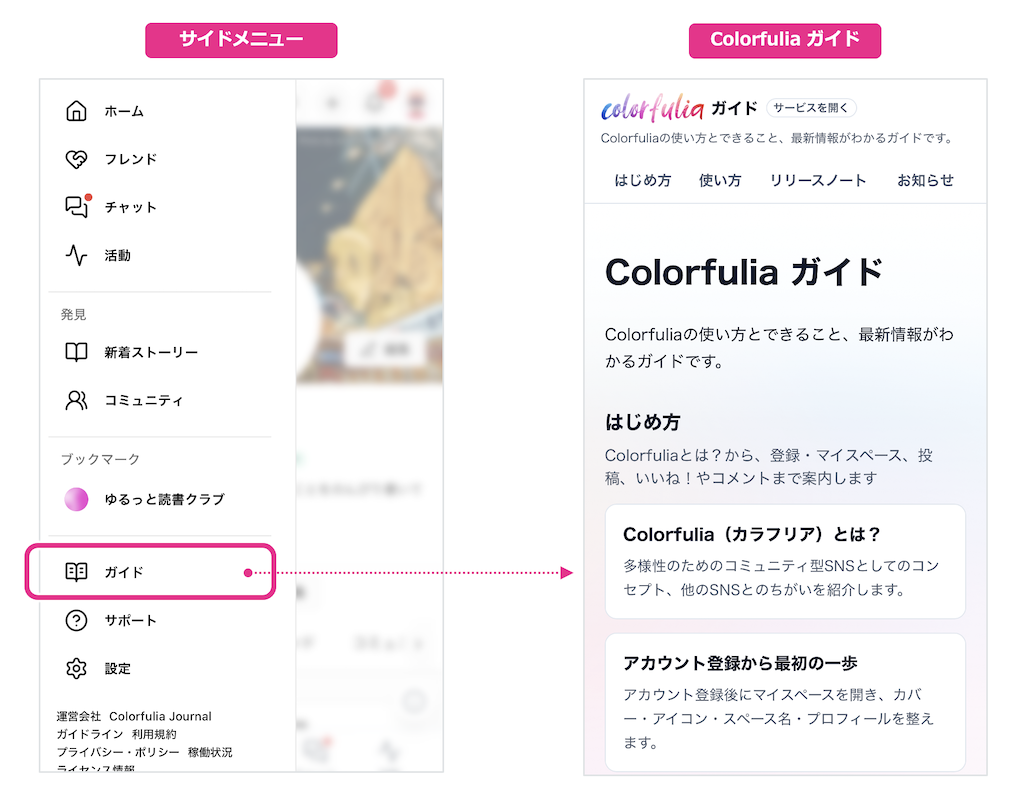
Colorfulia Guide
A guide to Colorfulia’s features, what you can do, and what’s new.
Getting started
From what Colorfulia is, through sign-up and My Space, posting, likes, and comments
-
What is Colorfulia?
An introduction to Colorfulia as a community SNS for diversity, and how it differs from other social apps.
-
First steps after signing up
After you create an account, open My Space and set your cover, icon, Space name, and profile.
-
Posting Stories
What Stories are, where to find new ones, how to post from Home / My Space / the header, media, Sensitive settings, and visibility.
-
Likes! and comments
How to share feelings with Likes! (reactions) and comments/replies, and how to check notifications on your own posts.
How to
Deepen connections with friends, then widen your circle—and stay safe
-
Deepen connections with Friends
What Friendships unlock (friends-only posts, posting on their Notes, 1:1 chat), how to become Friends, handle requests, and invite people you know.
-
Expand connections safely
Follow, Bookmarks, and Home; finding and joining communities; and Report, Mute, and Block to grow your circle while staying safe.
Release notes
Announcements
-
Colorfulia Guide is now live
Getting started, feature explainers, and release notes—in articles across 18 languages.
-
We added concrete posting examples
Check the boundary between general, sensitive, and prohibited content in Support and posting guidance.
-
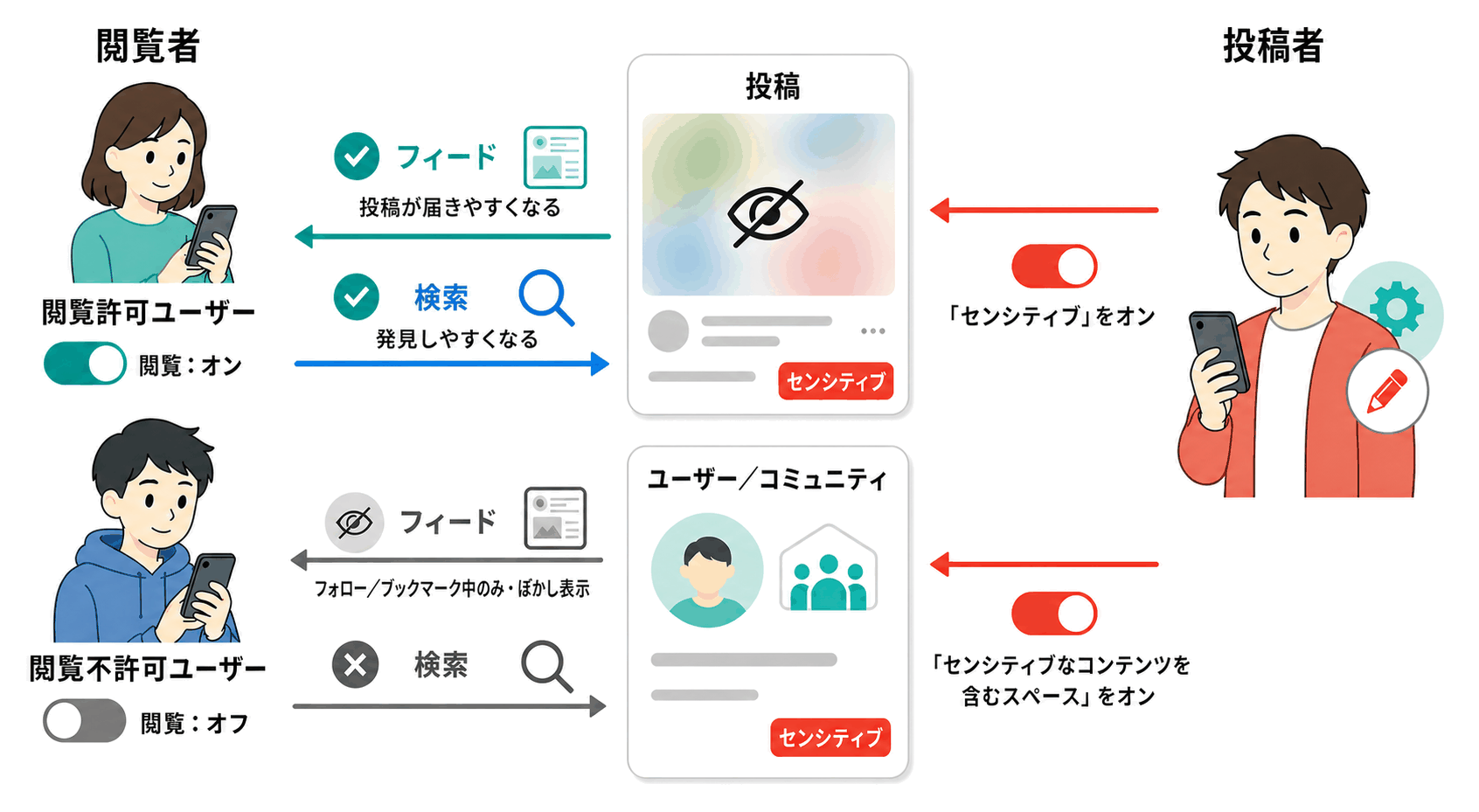
How sensitive posts and spaces appear has changed
Viewing is on by default. Turn it off if you prefer not to see sensitive content; people who keep it on can find labeled content more easily—with blur. Prohibited content still cannot be posted.