Expand connections safely
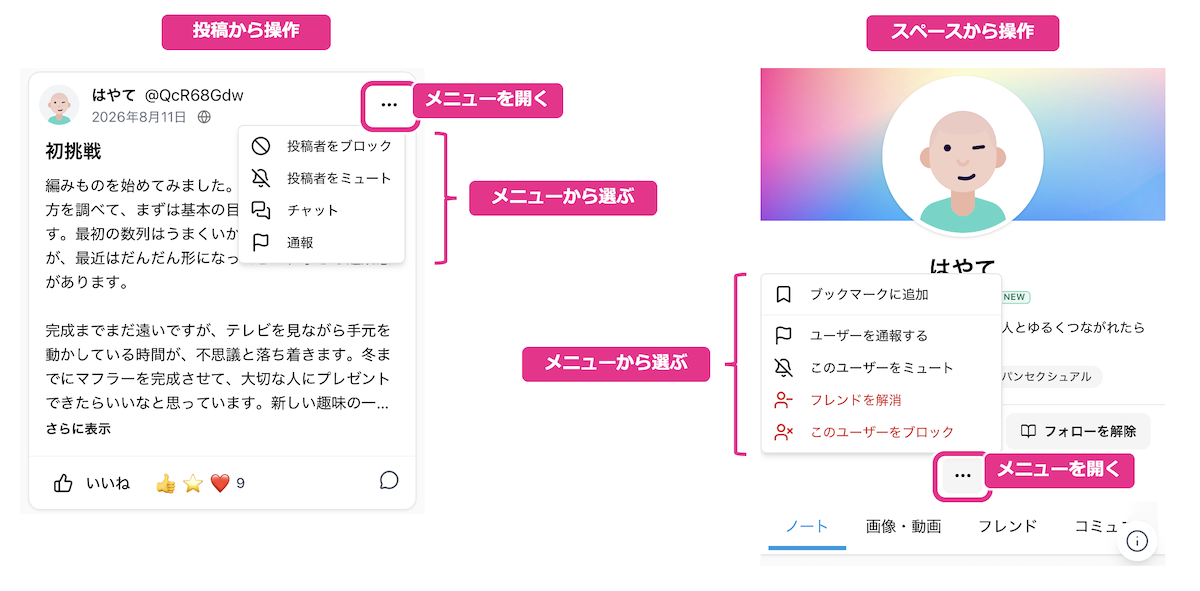
On Colorfulia you can gather posts from users and communities you don’t yet interact with closely, and join communities to widen your circle. When something goes wrong while browsing or chatting, Report, Mute, and Block help you protect your peace of mind.
Gather everyday posts on Home
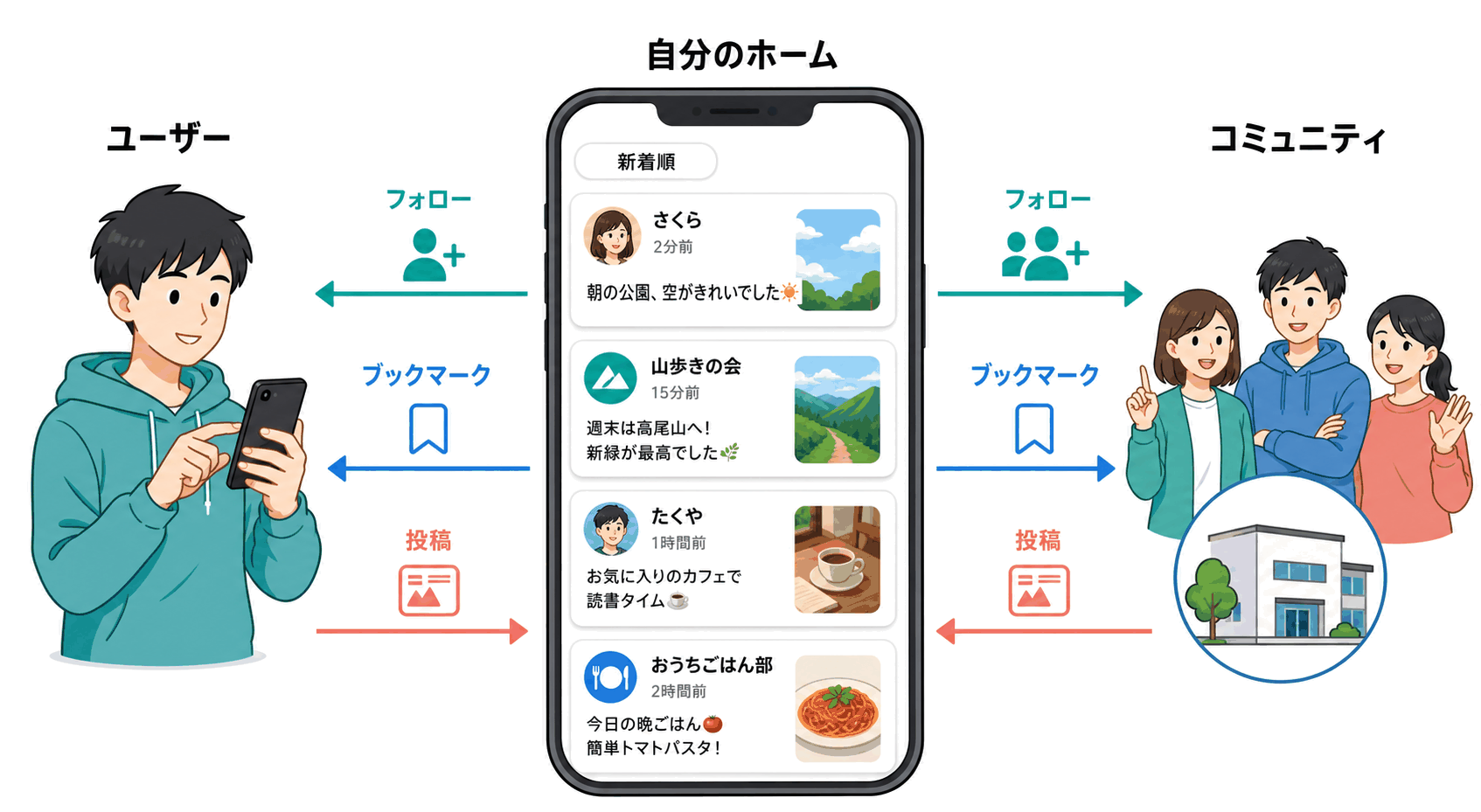
Home collects everyday Stories from users and communities you’re connected with, newest first.
You don’t have to visit every Space one by one—open Home to skim updates from people and places that matter to you.
Follow and Bookmarks
Follow and Bookmarks are the main sources for what appears on Home.
- Becoming Friends automatically follows each other (Friends’ posts tend to show up on Home).
- You can also Follow or Bookmark users and communities who aren’t Friends.
- Follow means “receive that Space’s posts on Home”—no application or join procedure required.
- Bookmarks make someone easier to reach from the menu and can include them in your Home feed without telling them you bookmarked them.
Filter what you see
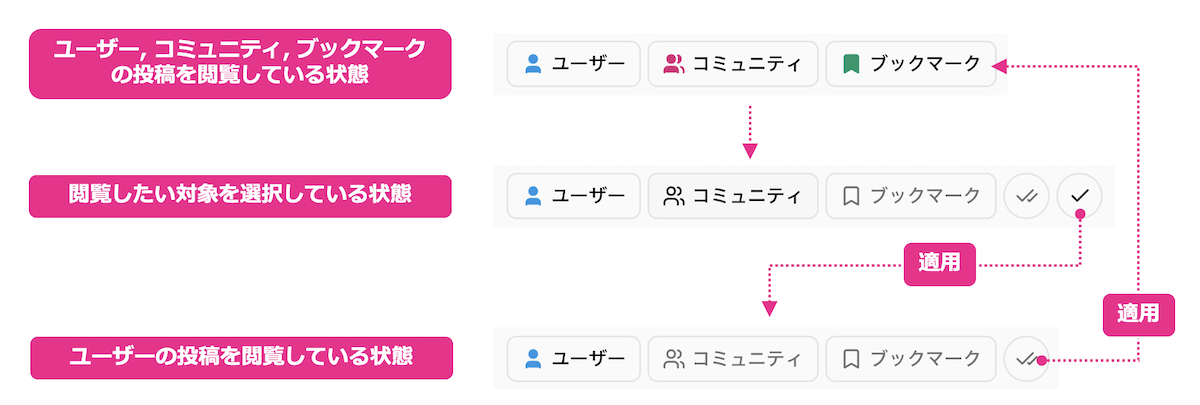
Near the top of Home you can switch what the feed includes:
| Filter | What it shows |
|---|---|
| Users | Posts from users you Follow |
| Communities | Posts from communities you Follow |
| Bookmarks | Posts from bookmarked users and communities |
Narrow to “communities only” or “bookmarks only” whenever you like.
Find users and communities to join
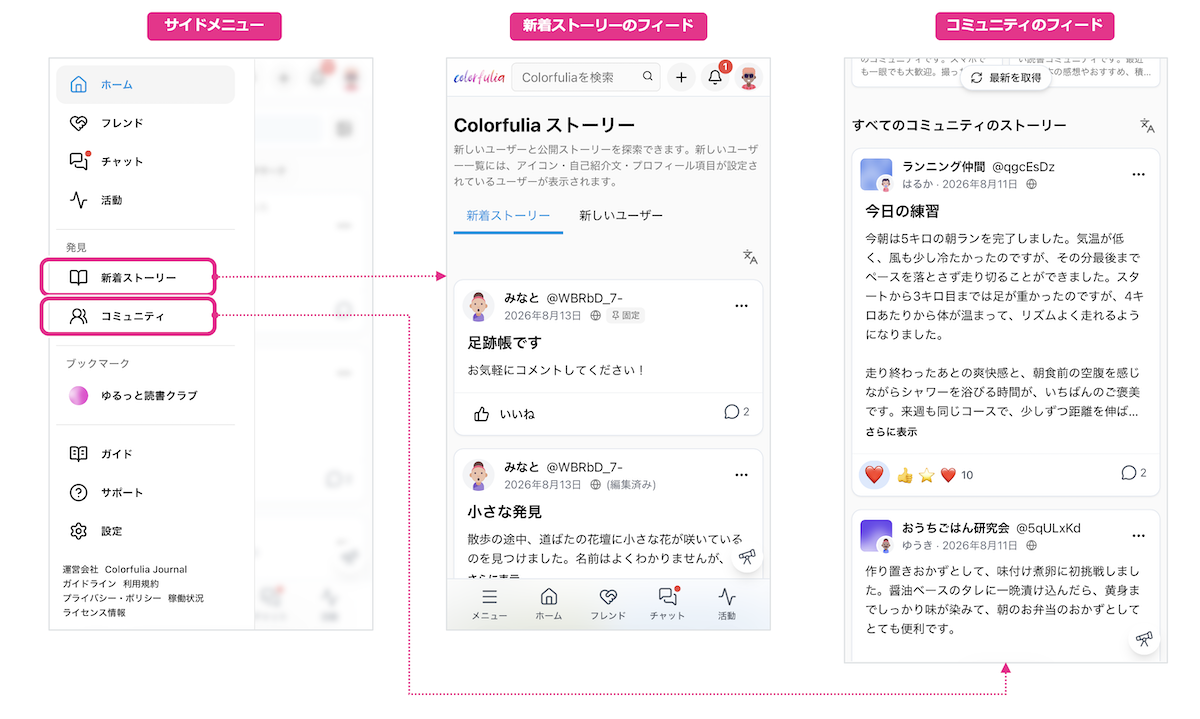
To expand connections, start by finding people and places.
- Users — Open profiles from the New stories feed, New users, keyword search, and more.
- Communities — Browse the Communities feed, All communities, or search.
Next steps: Friend request or Follow for people; join or Follow for communities.
Community types and joining
Communities gather people with shared interests. Each community has its own visibility and how you join.
| Aspect | Types |
|---|---|
| Visibility | Public (easier to find in search; posts more visible) / Private (harder to find in search; posts mainly for members) |
| Join rules | Open to anyone (join immediately) / Admin approval required (join after approval) |
As a member, posting and reading that community’s Notes becomes easier. Joining and Following are separate—so you can be a member but turn Follow off if you don’t want those posts on Home.
Protect yourself with Report, Mute, and Block
As you expand connections, you may sometimes hit uncomfortable posts or people you’d rather avoid. Colorfulia gives you these tools:
Report
Report tells the ops team about content or behavior that may violate the terms or community guidelines. Pick a reason from menus on posts, Spaces, and similar.
Every report is reviewed; removal or warnings may follow when needed (not every report results in action).
Mute and Block
| Tool | Role |
|---|---|
| Mute | Hide a user/community’s posts from Home and similar feeds (Friend/member relationships can remain) |
| Block | Strong two-way cutoff (limits viewing and can include ending Friendship, and more) |
Mute when you only want them out of your feed; Block when you want to stop the relationship itself. Neither notifies the other person that they were muted or blocked.