

Reactions are easier to share—and to reply to
Reactions are a quick way to say “I saw this” or “this is how it felt” without writing a full comment. To make reaction-only back-and-forth easier, we changed what you can see—and added a way to respond after someone reacts to you.
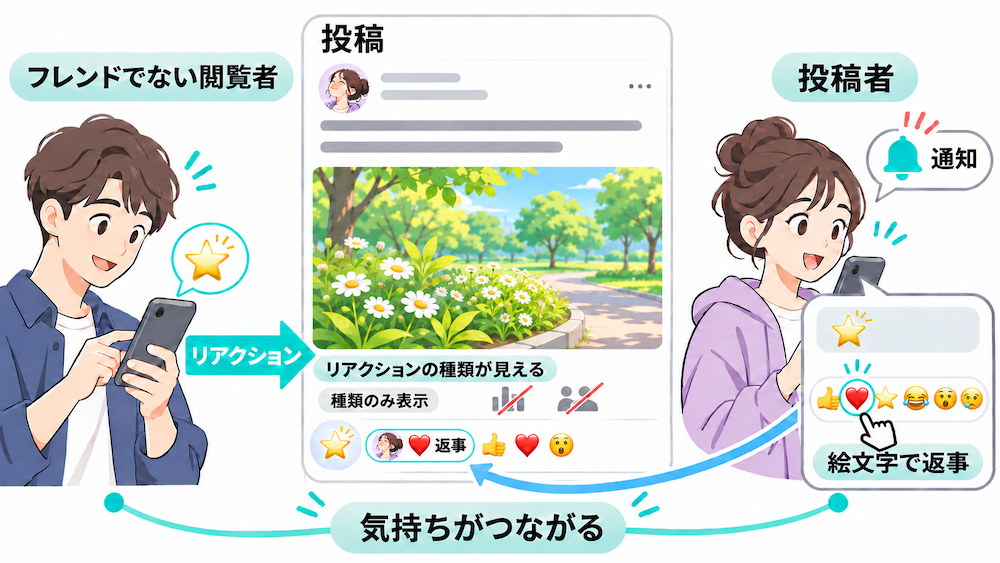
You can see which reaction types are present
On stories from people who aren’t your friends, and on posts in communities you don’t belong to, you couldn’t see other people’s reactions before. When nothing showed, it looked like there were none—which made it awkward to be the first to react and harder to share how you felt. To encourage more conversation through reactions, we started by changing this visibility.
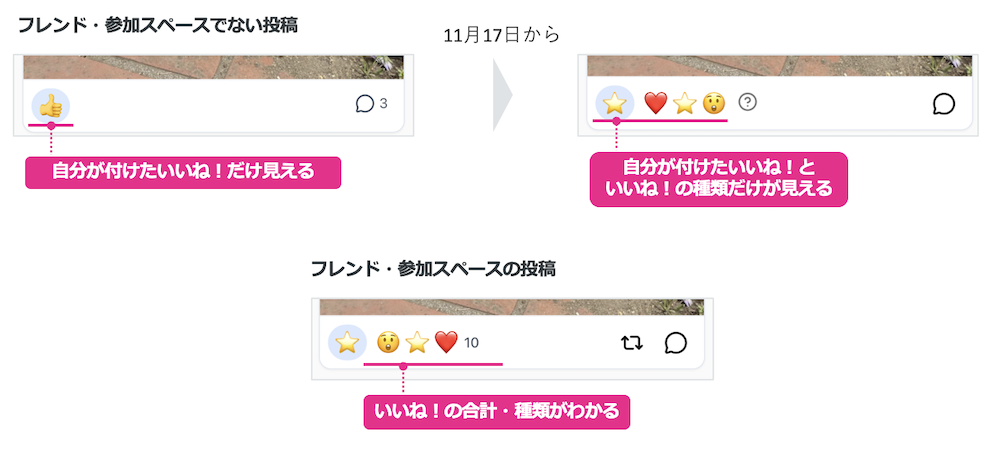
If you can view the post, you now see which reaction types (emoji) are on it. That makes it clear someone has already left a feeling, so it’s easier for you to add yours. Counts and who reacted are still shown only to the author’s friends and to members of the community where the post was shared, as before.
You can reply to reactions on your story with an emoji
Until now, authors had no way to respond when someone reacted to their story. With this update, reaction types are visible more broadly—and authors can reply to each reaction they receive with another emoji.
In the list of reactions on your story, you can pick from the same Like! emoji set to reply to each person individually.
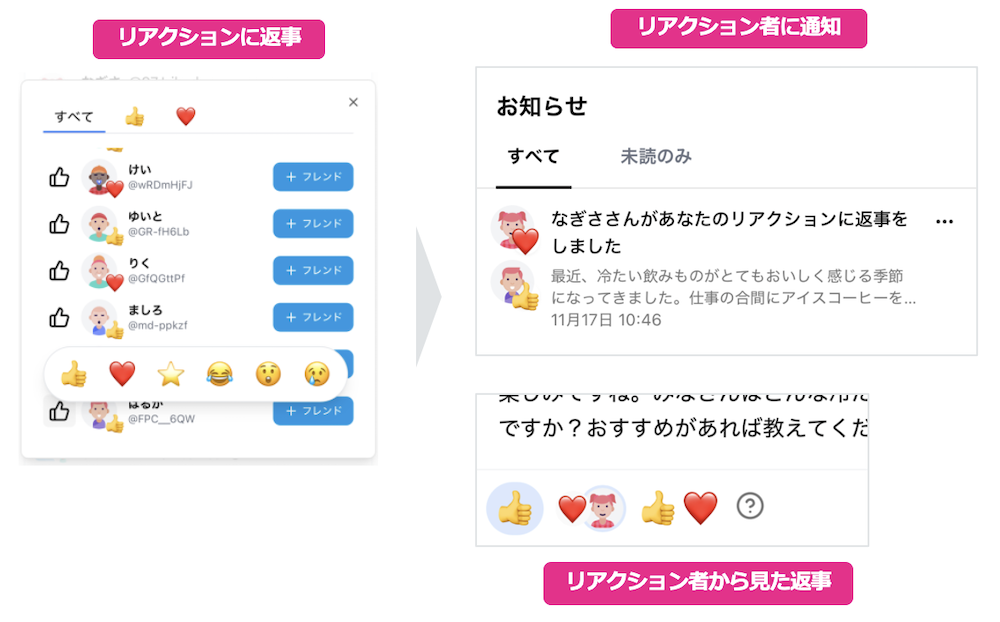
Your reply appears to the recipient to the right of their reaction button, with your profile icon and the emoji you chose. They also get a notification; opening it takes them to the story.