
Posts can now express more
A post can now express more than a short note and a photo. You can post a story laid out like a blog, embed more outside services, and add photo- and video-only memories to an album.
You can write it like a blog post
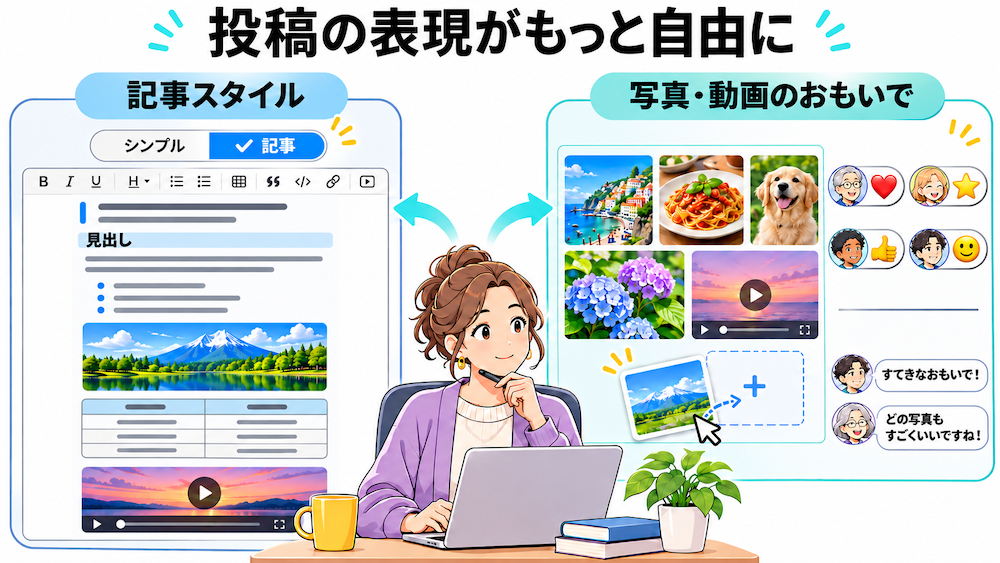
You can now write a story as a piece of writing, with headings, lists, tables, photos, videos, and link cards in the flow of the text (the Article style). The longer piece stays a story.
In the article style, you can use these:
| Expression | What you can do |
|---|---|
| Headings | Break the writing into large, medium, and small sections |
| Text styling | Use bold, italic, underline, and strikethrough, and set the text color and background color |
| Lists | Line up items with or without numbers |
| Tables | Arrange text in rows and columns, and color the text or background of each cell |
| Photos and videos | Place photos and videos in the flow of the text |
| External posts | Show a public post or artwork from YouTube, TikTok, X, Instagram, Threads, or pixiv at that spot in the text |
| Links | Add a link to words. A URL on its own becomes a card for that web page |
| Quotes, code, and dividers | Set off a passage as a quote, show code in a fixed-width block, or draw a divider |
In lists such as new stories, you see one photo, the title, and a short excerpt. Opening the post lets you read it from start to finish. You can post without a title or a cover photo.
When you create a story, you can switch from the usual post (the Simple style) to the Article style. Only the style you have selected is posted. What you wrote in the other style stays until you post, even if you switch, and is discarded when you post.
The basics of posting are in Post everyday moments.
You can add only photos and videos to an album
You can now add photos and videos that were never posted as a story, and keep them in an album as memories. They stay in the album, and they do not appear on friends’ Home or in new stories. You can also pull photos and videos off a past story and keep them as album memories.
A pulled memory keeps the visibility the story had when you added it. Reactions and comments still arrive, the same way they do on a story.
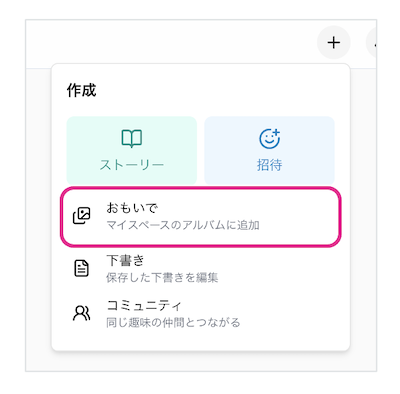
You can add those photos and videos from the Create menu at the top of the screen, or from the album screen.
More services can be embedded
When you add a URL for one of these public posts or artworks, a summary of that post or artwork now appears in the story. No app connection or login on those services is required. The same works in a story written in the article style.
- Public posts on TikTok, X, Instagram, and Threads
- pixiv illustrations, manga, and novels
What you see for pixiv is the published embed card, not the artwork page itself. Deleted or unavailable works do not become cards. A user-page URL stays a link, as before.
Only public posts and artworks appear. Profiles and private posts are not included.
See Embed a post from another service for how to add one.