

Find people who are close to you and reach out before you're friends
“I want to connect with people in the same situation.” “I’d like to reach out to someone, just lightly at first.” To support that first step, we added attribute filters in search and chat requests to people who aren’t your friends. You can now find people who are close to you and start connecting before you become friends.
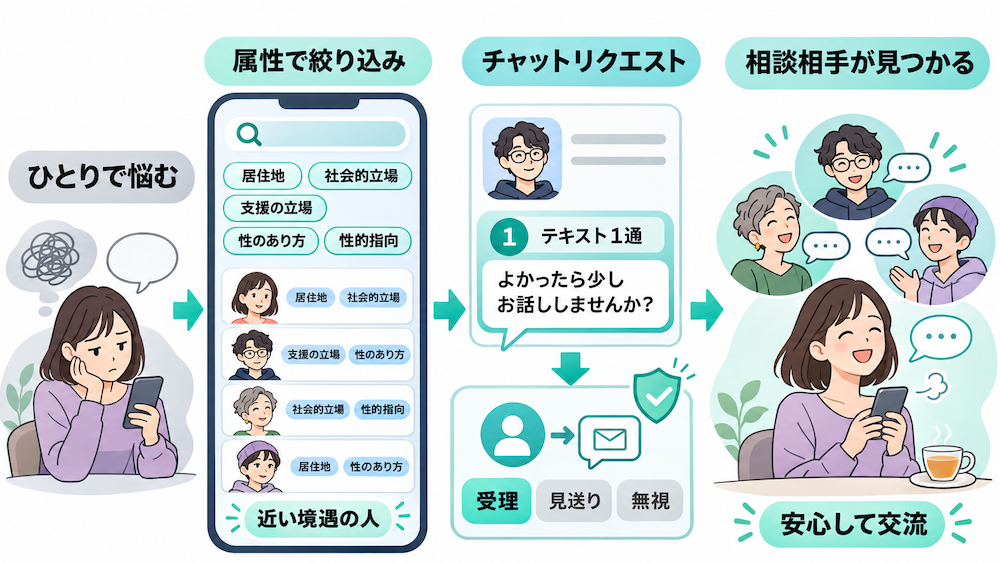
You can now find people by attributes
In user search, you can now choose attributes to find people who are close to you, not just type keywords. You can filter by:
| Filter | What it covers |
|---|---|
| Location | Japan or overseas. In Japan you can select more than one prefecture |
| Social status | Choose from the options |
| Supporter role | Choose from the options |
| Gender identity | Choose from the options |
| Sexual orientation | Choose from the options |
Visibility works just as before. Attributes you set to public show up in anyone’s search, and attributes you set to friends only show up only in your friends’ searches. If few people match, removing a condition makes them easier to find.
Keyword search was updated too. Only people, communities, and stories that contain the words you typed appear, so it’s easier to reach who or what you’re looking for.
For the basics of finding people, see Search by keyword and Find users and become friends.
You can now reach out to a non-friend with a single message
Until now, private messages were only between friends. From this release, you can send a single text-only chat request to someone who isn’t your friend. To keep it safe, it works like this:
- Two steps to open: the recipient first sees only the sender’s information and chooses whether to open the message. The sender is not told that it was opened.
- Accept, pass, or ignore: the recipient can accept, pass (decline), or ignore (set it aside). If they accept, they can start a chat even without being friends. When they pass, they can add a short note if they want.
- Chats with non-friends are text only: photos and videos become available after you become friends.
- Choose who can reach you: in account settings, pick everyone, friends of friends, or no one.
- Ignore persistent senders: you can remove them from your inbox, and undo that later if you need to.
To send a request, send one message from Chat on the other person’s Space. Requests you receive are on the Requests tab of the Chat screen.
For how to use it and the settings, see Send a chat request and Account settings. For chat basics, see One-to-one chat.
Connecting with peace of mind
For both features, you decide how much to show and who can reach you, through visibility and receive settings. They’re meant to widen the ways you can connect while letting you stay within a range that feels right. For how to use Colorfulia safely, see also Expand connections safely.