

You can now collect stories in albums as memories
You can now keep published stories and topics in themed albums. Even after a story scrolls away on the timeline, an album lets you read it again in date order. Posts gathered in an album are called memories.
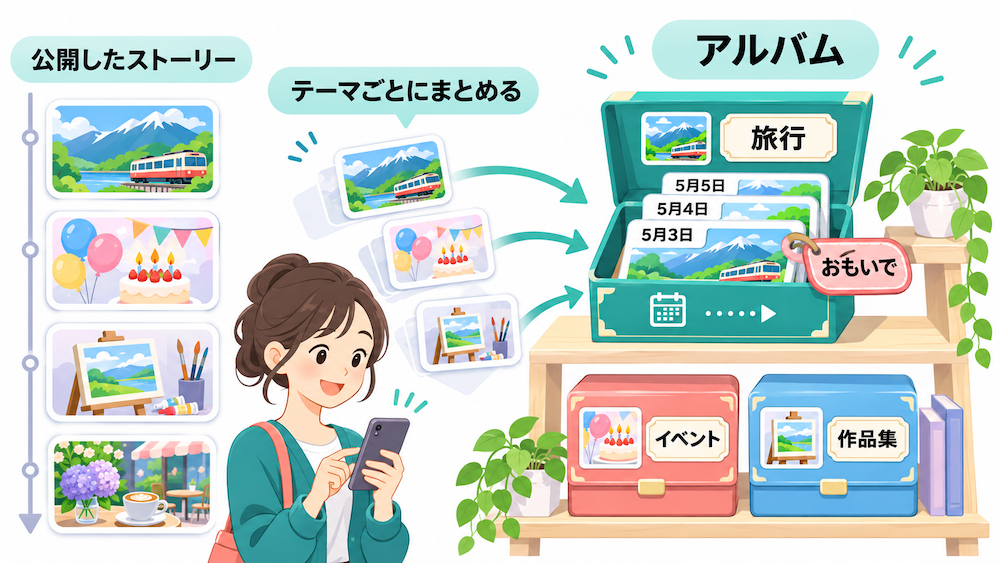
What you can do with albums
- You can create albums on a Note and collect your own published stories.
- An album can have a title, a description, and a cover image.
- You can create up to 3 albums on one Note.
How to create an album
- Open your My Space and start from Create album on the Albums tab.
- Enter a title (required). You can also add a description and a cover image.
- Choose Create and the album is ready. You can reorder or delete it later.
Add a story to an album
Open the post menu (⋯), choose the albums, and check the ones you want. That post is added to those albums. One post can be in up to 3 albums.
When you add it, you can set the date shown in that album. The date is based on your time zone and is shown in the viewer’s time zone. On your own Note, only your own posts can go into an album. Posts you wrote on a friend’s Note are not included.
Albums in communities
Albums in community spaces are not available yet. Support is planned.
For the full steps, see Collect memories in albums in support. For posting a story itself, see Posting Stories.